Using AI for Health and Longevity and Research - Your Favorite Prompts

Now, when asking about confidence levels, the answer is slightly differnet, but always tending to support Peter Attia’s suggestions:

1 Like

OK, my suspicion that the probability-based prompt is valid only in the context of the info available on teh specific author seems to be founded. I asked Gemini levels of confidence that Valter Longo is right when suggesting that high levels of protein are pro-aging. Here Gemini’s response is specular to the question on Attias, that is, it provides a 90% level of conficencey that Longo is right.

So, we have reached a paradoxical situation where:

Dr. Attia has a 90% level of confidence in being right when saying that high protein is anti-aging.
Dr. Longo has a 90% level of confidence in being right when saying that high protein is pro-aging.

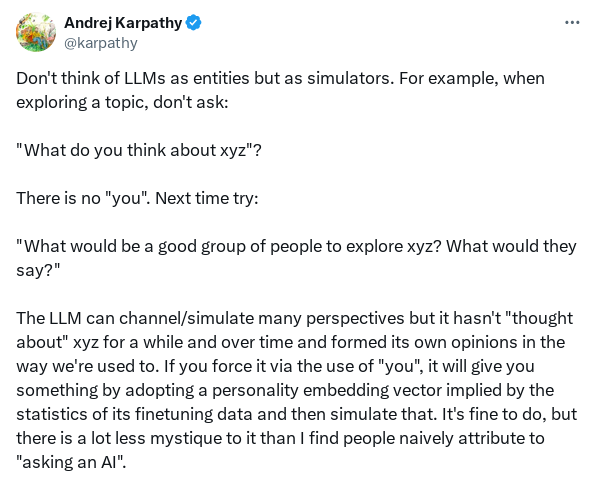
After the above tests with the Gemini AI, I tried the same with the Chat GPT5 LLM (supported by Microsoft Copilot). Here, the answer is more articulate and plausible, woth a 21% of probability the hte high levels of protein indicated by Attia are actually beneficial. The most probable benefit is assigned to a higher than RDA, but tailored quantity.

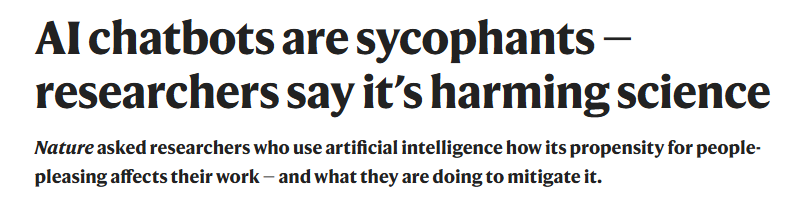
The sycophantic (eager to please) behaviour of LLMs has been investigated and rises worries especially in the health related fields.

https://www.nature.com/articles/d41586-025-03390-0?utm_source=Live+Audience&utm_campaign=e8df6f5785-nature-briefing-daily-20251025&utm_medium=email&utm_term=0_-33f35e09ea-499307150

It turns out that sycophancy is a well-known issue for AI developers. There are techniques we end users may actuate to decrease its incidence.

Methods to avoid sycophancy — prompt engineering for end users

  • Ask for evidence: prompt the model “Do you have evidence for that claim? Please provide sources and uncertainty” — forces retrieval/justification and reduces blind agreement (probability of mitigating sycophancy in session ≈ 50–80).
  • Use counterfactual prompts: “Play devil’s advocate — present counterarguments” to surface alternative views.
  • Request confidence estimates and reasoning: “How confident are you on a scale 0–100 and why?” and require citation for >60% confidence.
  • Split tasks: ask the model first to list possible answers with pros/cons, then to pick one with justification.
  • Rephrase to force verification: “I believe X, but I might be wrong — is X true? Explain with evidence.” This reduces the model’s tendency to just agree.

Practical probability: user‑level prompting reduces sycophancy in the immediate session by ~40–70% depending on model.

2 Likes

6 ChatGPT Settings You Should Consider Changing (WSJ)

A few tweaks can improve your conversations with the chatbot, as well as protect your privacy

There is a simple way to make ChatGPT a lot more effective: Change the default settings. Just a few tweaks can help make your conversations much smoother and more focused—and protect your privacy, too.

Here are six settings I recommend checking and adjusting, to ensure you’ve got them set up in the way that works best for you. You’ll find all these options under the Settings menu, but they’ll look a little different depending on whether you access them on mobile or on a computer, and whether you’re using a web browser or the ChatGPT app. You’ll find many of these options in other platforms too, such as Claude and Perplexity.

Read the full article: 6 ChatGPT Settings You Should Consider Changing (WSJ)

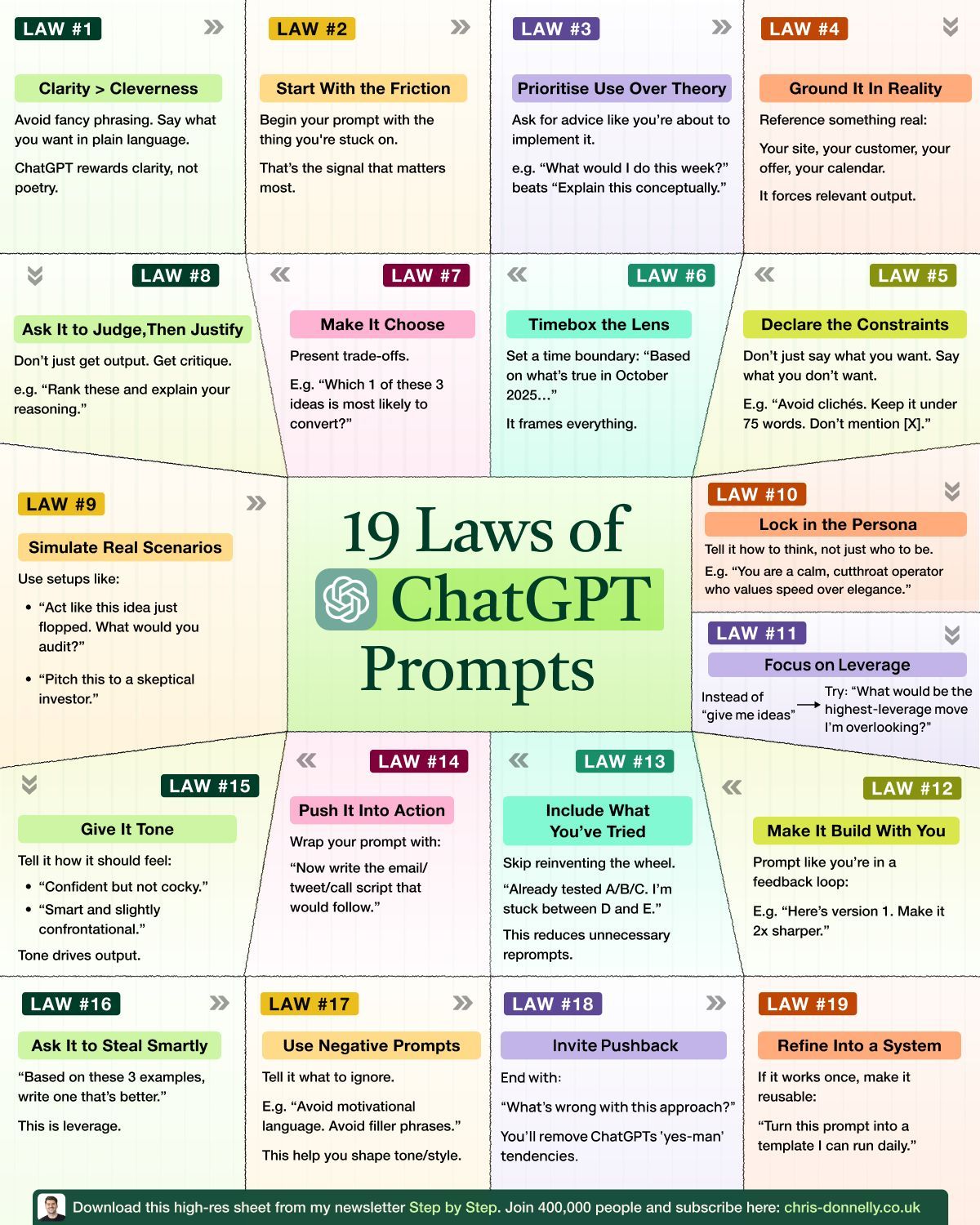
Some other ideas suggestions on Prompts I’ve run across. More directed at “content development”, but some good ideas for general queries… I will test them out:

Creating content with AI is the new normal.

Use these laws to avoid “slop”:

There’s nothing wrong with using AI as a creative assistant.

With so many tools out there now, there are infinite possibilities for what you can create.

I, for one, think it’s pretty handy to have a writing assistant on hand 24/7.

But as always, the golden rule with AI content creation is:

Garbage in, garbage out.

If you use boring or poorly written prompts, don’t expect high-quality outputs.

The trick is using specific, detailed, and well-crafted prompts.

This will give you high-quality results that only need a few tweaks to get right.

Most people overestimate what AI can produce and put the burden of creativity on the tool itself.

That’s a mistake I urge you to stop making.

The quality of your output depends entirely on the quality of your input.

That’s why these 19 laws for writing ChatGPT prompts work.

They’re a framework for writing prompts that produce usable content:

  1. Prioritize clarity over cleverness.
  2. Start with the thing you’re stuck on.
  3. Ask for advice like you’re about to implement it.
  4. Ground it in reality by referencing something real.
  5. Say what you don’t want (constraints), not just what you do.
  6. Set a time boundary to create a specific context.
  7. Make it choose between options and present trade-offs.
  8. Ask it to judge, then justify its reasoning.
  9. Simulate real scenarios.
  10. Lock in the persona by telling it how to think.
  11. Ask for the highest-leverage move.
  12. Prompt like you’re in a feedback loop.
  13. Include what you’ve already tried to reduce re-prompts.
  14. Push it into action by wrapping your prompt.
  15. Give it tone by telling it how it should feel.
  16. Ask it to steal smartly from examples.
  17. Use negative prompts to tell it what to avoid.
  18. Invite pushback by ending with “What’s wrong with this approach?”
  19. Refine it into a reusable system or template.

(See the sheet for the full breakdown :point_down:)

If your AI content feels generic, don’t blame the tool.
Look at your prompts.

If you aren’t able to provide the necessary details, then it’s too early to be using AI.

Writing a good prompt requires you to:

  • Know exactly what you’re trying to say
  • Understand your constraints
  • Define your tone and perspective
  • Clarify what you’ve already tried

In other words, it makes you do the thinking first.

If you can’t articulate what you want to produce and why…

Then why are you creating content in the first place?

3 Likes
3 Likes

I’ve given up on the simplest, quickest AI video summarizers because the quality is too poor. I’ve moved to follow @John_Hemming 's approach of using CGPT for the video summary.

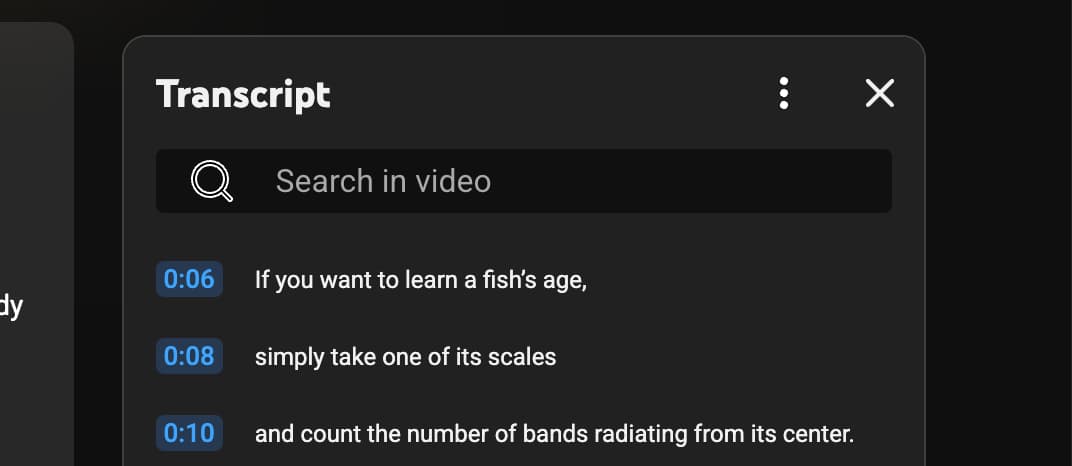
To use CGPT for summarizing videos is quite quick and easy too. Here is the step by step instructions (saves a lot of time over watching the entire video).

Steps:

  1. Go to the video URL, for example: https://www.youtube.com/watch?v=UQdtUaeZWLo

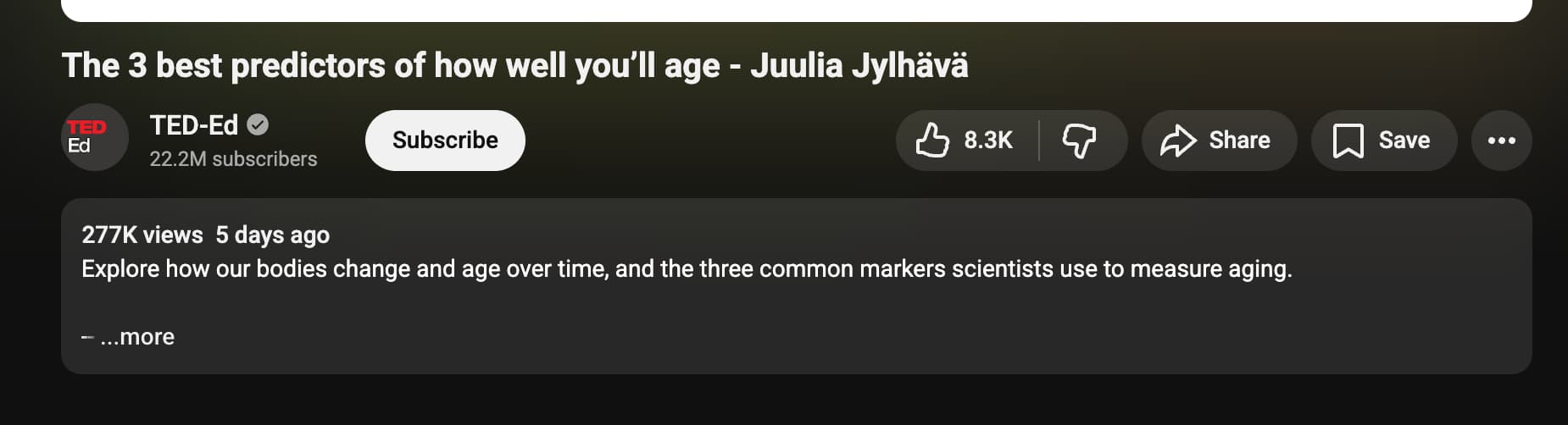
  2. Click on the “More” link in the video summary info section directly under the video

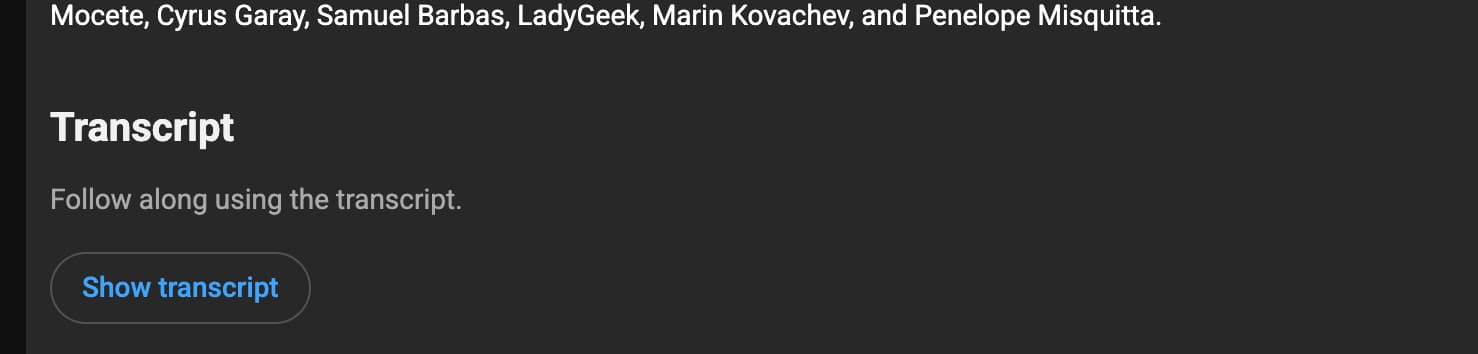
  3. Scroll down to where it says “Transcript”

  1. Click on “Show Transcript”, and a window on the right top side of the screen will open with the full transcript.

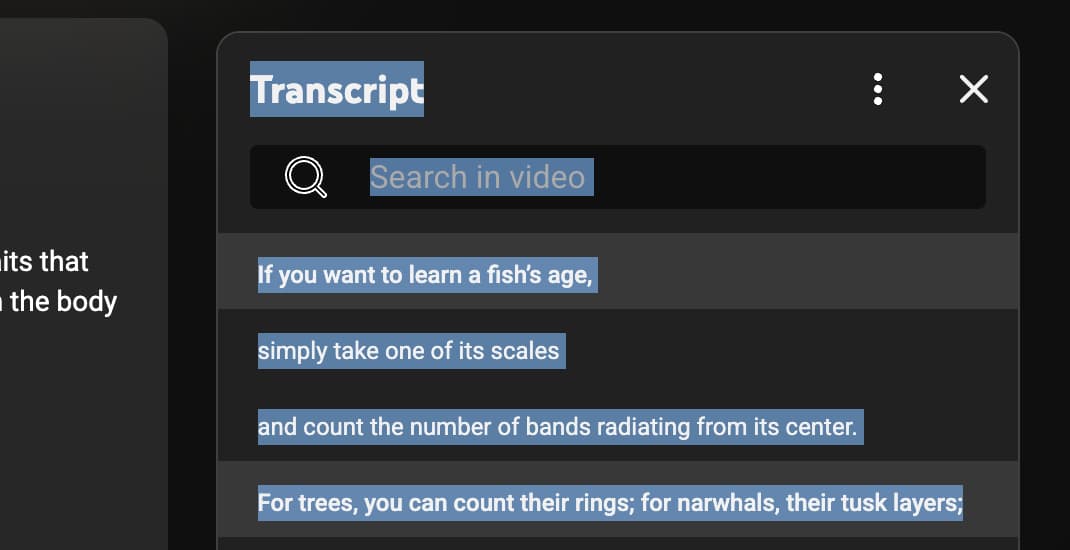
  2. Select the full transcript by clicking on the first bit of text and dragging down to select the entire transcript.

  1. Copy and then paste the full transcript into the ChatGPT prompt window and provide the prompt (or enter the prompt first, then copy and past the transcription.

Here is my prompt for deriving the video from a transcript:

New Master Prompt for Video Summary MASTER PROMPT:

I will give you a YouTube video link or transcript.

Your job is to produce a high-resolution, extremely efficient summary and analysis.

Follow every instruction below:

  1. Retrieve & Process

• If I give you a URL: retrieve the transcript if available.

• If I give you the transcript: use only what I provided.

• Ignore irrelevant filler such as greetings, ad reads, or off-topic tangents.

  1. Produce the Following Outputs (Mandatory Sections)

A. Executive Summary (150–300 words)

• The entire video distilled without fluff.

• Capture the core thesis, main arguments, and key insights.

B. Bullet Summary (12–20 bullets)

• Each bullet must be a standalone insight.

• No repetition, no filler.

D. Claims & Evidence Table

Create a table with:

• Claim made in video

• Evidence the speaker provides

• Your assessment: strong / weak / speculative / unsupported

E. Actionable Insights (5–10 items)

Concrete, practical takeaways derived from the content.

  1. Optional Analysis (include if relevant to the content)

H. Technical Deep-Dive

If the video includes science, technology, medicine, longevity, economics, etc.,

generate a precise, jargon-correct technical breakdown of the underlying mechanisms/arguments.

I. Fact-Check Important Claims

For major scientific, health, financial, or geopolitical claims:

• Compare to established evidence

• Provide citations when possible

• Flag any claims that conflict with consensus or are misleading

  1. Tone Requirements

• Direct

• No sycophancy

• No apologizing

• No fluff

• Maximum clarity and practicality

• Favor signal over narrative

  1. Formatting Requirements

• Use Markdown, include links to any related references or sources directly in the body of the text using markdown

• Make each section easy to skim

• Tables should be clean, not bloated

• Avoid unnecessary adjectives

End of Master Prompt

5 Likes

I tweaked that prompt to also evaluate common health articles. I’m skeptical of many popular health articles so tend to avoid them, but perhaps a better way is to throw them through an AI system to evaluate their claims.

I modified the top section of my video prompt above, to say this:

New Master Prompt for science article Summary MASTER PROMPT:

I will give you a link to an article or paper.

Your job is to produce a high-resolution, extremely efficient summary and analysis.

Follow every instruction below:

  1. Retrieve & Process

• If I give you a URL: retrieve the article if available.

• Ignore irrelevant filler such as greetings, ad reads, or off-topic tangents.

then… just used the rest of the video prompt.

For example, I used it to evaluate this article:

and here is what it came up with:

4 Likes

I’ve been using Google Gemini 3 this week and I have to say it blows the doors off OpenAI’s ChatGPT. The quality and consistency of the responses is far, far better than what I get on ChatGPT. I’m cancelling my CGPT subscription. The images are also much better… probably 10X faster, and 5 times better in design. 10 or 20X better for graphics with any text in them (CGPT always mis-spells in the images).

I concur. Its time for short-selling on Open AI if you can:

OpenAI Declares ‘Code Red’ as Google Threatens AI Lead

Companywide memo is most decisive indication yet of pressure OpenAI faces from competitors

https://www.wsj.com/tech/ai/openais-altman-declares-code-red-to-improve-chatgpt-as-google-threatens-ai-lead-7faf5ea6

2 Likes

We’ve álready discussed using Gemini 3 at work for creating custom designs for us.

1 Like

OpenAI has the userbase. Chat or ChatGPT is AI to people. With a lot of users means less compute per user, so the quality and speed of responses will suffer. I’m betting their goal is to raise the tide for all boats which are their users, why they got o3 to everyone with routing to GPT-5 Thinking.

I was expecting this to happen because Google own the entire stack, with their own GPU’s (TPU’s), and have the talent, obviously. But OpenAI has their own in-house model that is better than Gemini 3. I don’t see why this is different than Gemini 2.5 Pro release.

I’m super impressed by OpenAI’s open models, what they can accomplish for their sizes, they obviously have a lot of talented people there.

I’m not as hard core with my prompts yet but I do like Perplexity, I have a Enterprise Pro sub for $40 a month. It seems to have learned my “style” so I don’t need to prompt it in the writing style after the first time I used it.

It’s quite versatile as an LLM agent and accesses;

Sonar
GPT 5.1.
Gemini 3 Pro
Kimi K2 Thinking (US hosted version)
Claude Sonnet 4.5

If you step up to the Enterprise Max version it adds
Claude Opus 4.5
o-3 Pro

It can use nano banana for graphics if you prompt it to do so, or in Auto mode it will use the best tool that fits your prompt / search criteria.

I’ve used it to generate product pictures and it does a great job (with the right prompts of course) It will go out and research the product, evaluate the look, feel, colour, etc of the product and use editable text in a label. I had tried a couple other AI graphics tools and they never got much right, wasted several hours just trying and failing on the text aspect. Perplexity produced perfect items on the second try.

1 Like

For those of you who have Venmo, look for an offer in your inbox to get one year free of Perplexity Pro. I was about to delete it!

2 Likes

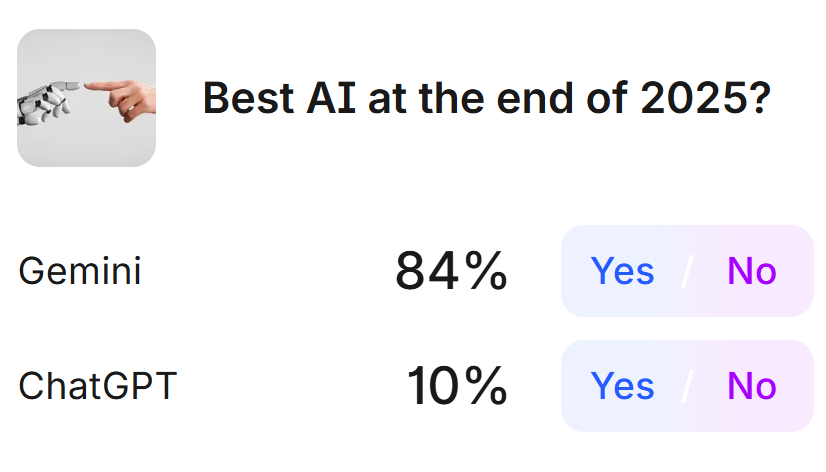
Looks like Gemini is winning this race. The only reason Gemini (paid) is not my favorite AI is because it is slower, at least for the questions I ask, and you have to approve Gemini’s research plan before it starts the task.
The regular Google AI thinking (Gemini) is the one I use the most, followed by Perplexity.
The following is not just an opinion; it is where people put their money where their mouth is.

2 Likes

That’s one of the reason I like to use a good AI agent that can access multiple AI’s

Besides Perplexity another good one is www.you.com try the chat mode first

1 Like

When you are considering buying something - you can do a first pass by asking Gemini or other AI system to identify the low cost products and calculate the cost/mg or such. But you can also, when you narrow it down to a few vendors, perhaps on Amazon, do a really good cost comparison. I hate that Amazon makes it so difficult to compare the price/unit that you actually care about. So here is how you do it:

With Gemini, you can drop the web addresses (URL)s for the products you are looking at, and ask Gemini to evaluate them and calculate the cost per mg and compare them all. Its awesome. For Amazon, you only need this part of the url (not all the tracking codes, etc. afterwards).

Here is the URL from Amazon that you copy:

https://www.amazon.com/Natural-Factors-Oregano-180mg-Virgin/dp/B00DUHF9MO/

and leave a space between each URL for each product in your prompt.

To make it so you can copy and paste the results into this forum, be sure to specify:

Output Constraints:

  • Use Markdown formatting (Headers, Bold, Lists).
  • Do not use LaTeX or special characters that break simple text parsers.
  • Embed direct URLs to any external references cited.

See the result from this query here: Spice Cabinet Longevity – Thymol Triggers Mitophagy via Mitochondrial Uncoupling - #22 by RapAdmin

Please post your pricing if you do these analysis and it’s on one of the topics we’re discussing, to save other people the hassle of doing it.

1 Like

image

What a lot of people are missing are benchmarks… workflows, workflows, and benchmarks…

If @RapAdmin want to summarize videos, create a benchmark first of X amount of videos and information you want in the summary.

Then create a workflow, test towards the benchmark, iterate, change models, etc.

I suspect a summary workflow would first create a transcript with speakers (difficult). When available, video understanding of charts/tables. Then create a summary of the most important.

Presumably coding models can do this custom solution today if not soon, do similar workflows for other tasks, might even run in the cloud.

I’m not clear on what you’re saying here. Can you provide an example?

2 Likes

You create a perfect summary for e.g a YouTube video titled “Bird’s aren’t real”.

When you’re testing a new chatbot/prompt, ask it to create a new summary for “Bird’s aren’t real” which you have the perfect one for, then open up a new chat with the best chatbot, and ask “Here’s the perfect summary, and here’s a new one, how well on a score of 1-10 did it summarize all the important parts”?

Repeat for 10 videos (presumably coded with codex), and in 10 seconds you’ll know how well your prompt/workflow is towards your own custom benchmark (10 videos and 10 perfect summaries), the more perfect summaries and e.g videos you collect, the more your benchmark will generalize.

So whenever a new chatbot version comes out you can use your own custom benchmark.

Or you can wait a few year and the frontier will do this in the background, at least that’s Sam Altman’s idea.

1 Like

I use the Comet browser, a Perplexity version of Chrome. When I’m on any site I can ask the built in assistant for help or analysis, works great on Amazon, Just highlight some detail in the product info and you have several options, 1 is search Perplexity the other one is Open in Assistant. A side panel will open and away you go with your questions,

Another aspect I like is that it stops adds, trackers, etc without any issues. Best add blocker I’ve found, without even knowing that it was happening. It makes sense when you think about it. My browser is not contacting the websites, it’s Perplexity going out and getting the info and displaying i on my browser.

Today I used it to research a person on LinkedIn to verify if they are as accomplished as they claimed to be, did the person have all the education that they claimed, were their publications as indicated. It went out and searched the various uni websites, journals, etc. did all that and provided a good synopsis of who the person is and that as long as it was not an impostor, the person they claimed to be is as accomplished as they claimed.

2 Likes